
Download WordPress.com – free blog platform, secure hosting, easy customization
Why WordPress.com Is Still the Go‑To Choice for Bloggers in 2025
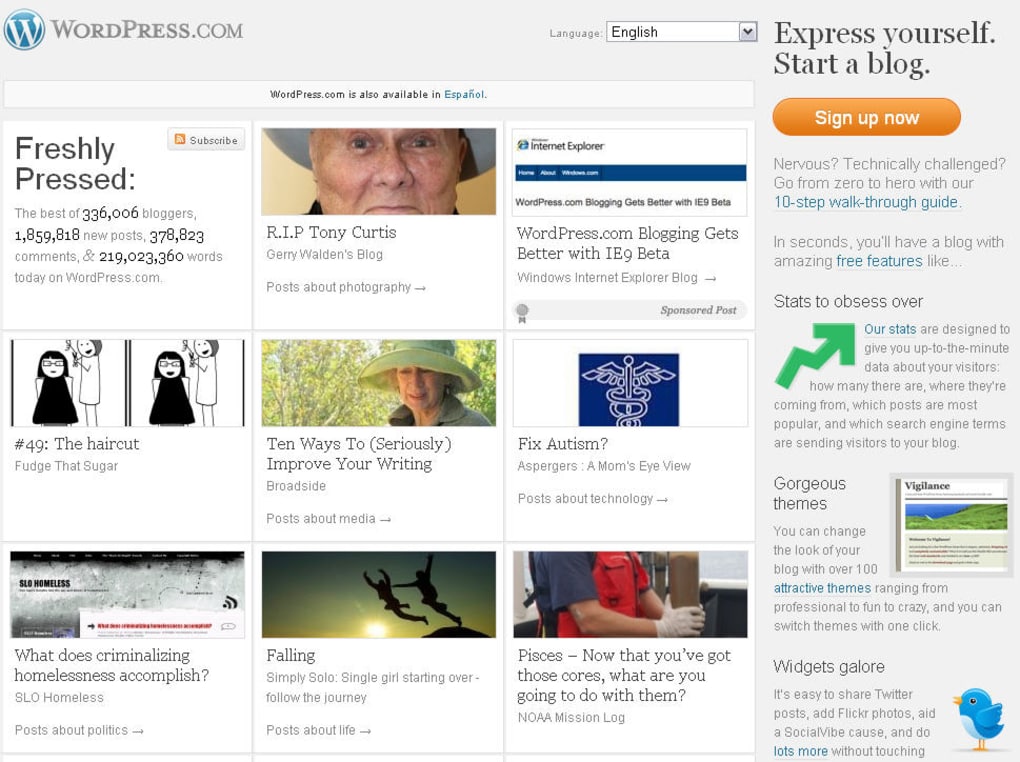
WordPress.com remains the biggest, most popular blogging platform on the planet, and for good reason. Unlike its sibling WordPress.org, which requires you to install the CMS on a self‑managed server, WordPress.com hosts every site on its own secure cloud infrastructure. That means you can focus on what truly matters—writing compelling content—while the platform handles updates, backups, and security patches automatically.
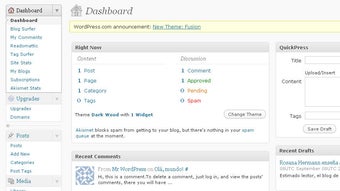
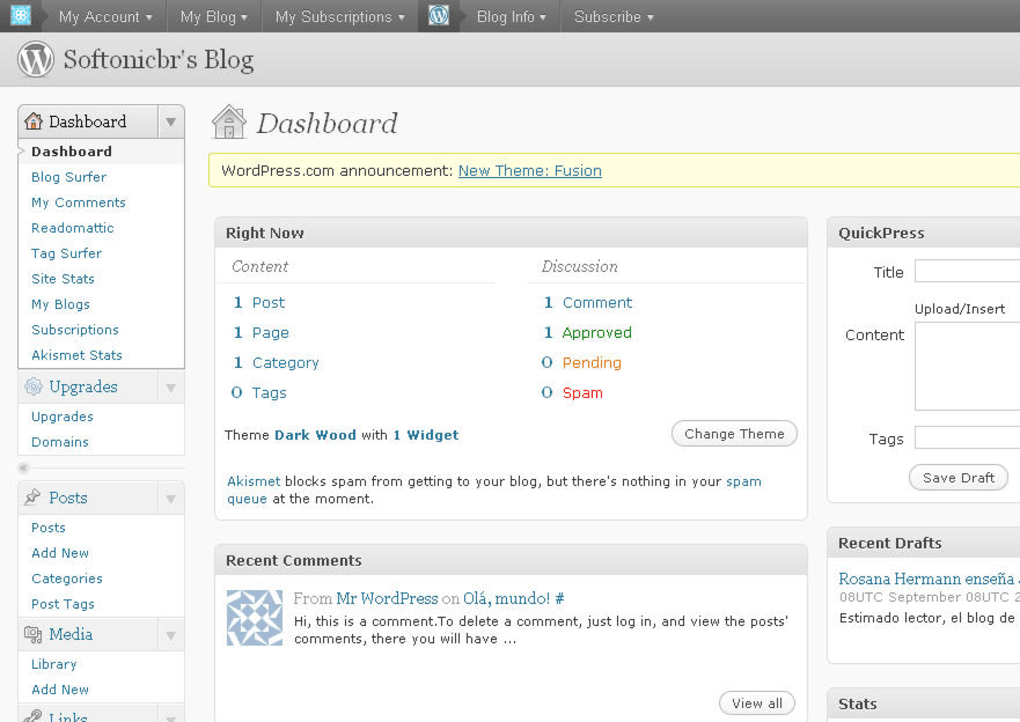
Starting a blog takes less than five minutes: simply create a free account, choose a memorable title, and you’re ready to publish. The onboarding wizard guides you through the basics, and you’ll instantly see a polished dashboard that feels familiar to anyone who has ever used a modern website builder. Whether you are a complete beginner who wants a hassle‑free way to share ideas, or an experienced writer seeking advanced customization, WordPress.com scales with you.
The platform offers a massive library of free and premium themes, an intuitive block editor, and a vibrant community ready to help at any stage. In short, it delivers the perfect blend of simplicity and power—making it the ideal tool for anyone who wants to launch a professional‑looking blog without wrestling with server‑side technicalities.
Key Features That Set WordPress.com Apart
- Fully Hosted Environment – No need to purchase a separate web host; WordPress.com provides reliable, fast servers with built‑in CDN and DDoS protection.
- Block‑Based Editor (Gutenberg) – Drag‑and‑drop blocks let you create rich layouts, embed media, and design pages without any code.
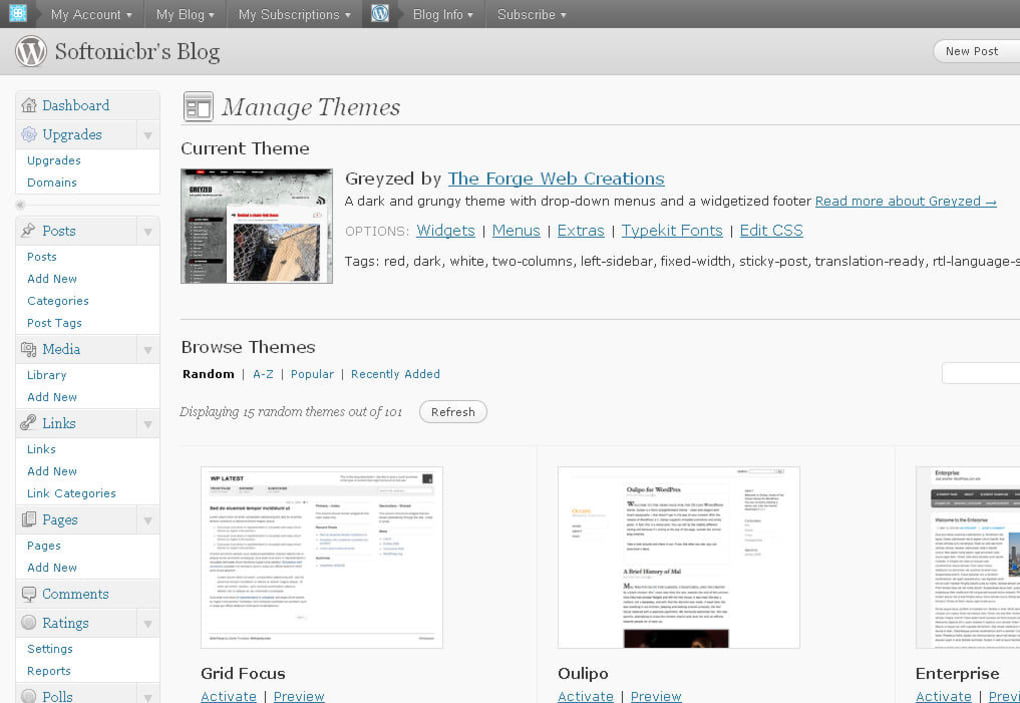
- Extensive Theme Marketplace – Hundreds of free and premium themes, all responsive and customizable via the Customizer.
- Built‑In SEO Tools – Automated XML sitemaps, meta‑description fields, and social sharing previews help your posts rank higher.
- Widget Library – Add calendars, recent comments, tag clouds, social feeds, and more with a single click.
- Secure Backups & Updates – Automatic daily backups and one‑click restore options protect your content from accidental loss.
- Monetization Options – WordAds, affiliate links, and paid subscriptions let you earn money directly from your blog.
- Collaboration Tools – Invite contributors, assign roles, and manage permissions without exposing your admin credentials.
- Multilingual Support – Write and publish content in multiple languages, with automatic language detection for SEO.
- Integration with Popular Plugins – Even though the platform is hosted, you can still use essential plugins like Contact Form 7, Yoast SEO, and Jetpack through the “Plugins” tab (available on Business and eCommerce plans).
Each of these features is designed to reduce the technical friction that often discourages new bloggers. For instance, the block editor eliminates the need for HTML knowledge, while the automatic backups give peace of mind that your hard‑earned content will never disappear. Moreover, the platform’s SEO toolkit is built directly into the publishing workflow, so you don’t have to install separate extensions or manually configure meta tags. Whether you are publishing a personal diary, a professional portfolio, or a full‑blown news site, WordPress.com offers the flexibility to grow without forcing you into a steep learning curve.
Step‑by‑Step Installation & First‑Time Usage Guide
Getting started with WordPress.com is intentionally straightforward. Follow these steps to have your blog live in under five minutes:
- Create a free account – Visit wordpress.com and click “Get Started.” You can register using an email address, Google, or Apple ID.
- Choose a blog name and domain – Enter your desired site title. WordPress.com will suggest a free
yourname.wordpress.comsub‑domain, or you can purchase a custom domain (e.g.,yourname.com) directly from the platform. - Select a theme – Browse the theme gallery and click “Activate” on the design that best matches your brand. All themes are mobile‑responsive and can be further customized later.
- Configure basic settings – Navigate to “Settings” → “General” to set your timezone, language, and site visibility (public, private, or password‑protected).
- Write your first post – Click “Site” → “Posts” → “Add New.” Use the Gutenberg block editor to add headings, images, videos, and embed tweets or YouTube clips. When you’re ready, hit “Publish.”
- Enable essential widgets – Go to “Customize” → “Widgets” and drag a “Recent Posts” or “Search” widget into the sidebar to improve navigation.
- Secure your site – Turn on two‑factor authentication under “Account Settings” → “Security.” This adds an extra layer of protection for your admin login.
Once your blog is live, you can explore the dashboard’s many sections: “Stats” for traffic analytics, “Comments” for community interaction, and “Plans” if you decide to upgrade for advanced features like custom CSS, eCommerce tools, or premium support. The platform also offers a helpful “Learn” hub with video tutorials and written guides that walk you through everything from SEO basics to theme customization. Because WordPress.com handles all server‑side updates automatically, you’ll never need to worry about applying patches or migrating databases—those tasks are taken care of behind the scenes.
Compatibility, Performance, and Security Overview
WordPress.com is a cloud‑based service, which means it works flawlessly on any modern operating system—Windows, macOS, Linux, iOS, and Android—through a web browser. The platform’s responsive design ensures that the admin dashboard and the public site render correctly on desktop monitors, tablets, and smartphones. For power users, there are native mobile apps for iOS and Android that let you draft posts, moderate comments, and view stats on the go, all while syncing instantly with your online blog.
Performance is another strong suit. WordPress.com leverages a global CDN (Content Delivery Network) to cache static assets such as images, CSS, and JavaScript, delivering them from the edge server nearest to the visitor. This reduces page load times dramatically, which not only improves user experience but also positively influences search‑engine rankings. Additionally, the platform automatically optimizes uploaded images (WebP conversion, lazy loading) without any manual intervention.
Security is baked into every layer of the service. All sites are protected by HTTPS with a free SSL certificate, and WordPress.com runs daily malware scans, brute‑force attack mitigation, and automatic core updates. The built‑in spam filter powered by Akismet blocks unwanted comments, while the “Jetpack Security” add‑on (available on paid plans) offers advanced features like site backups, one‑click restores, and two‑step authentication. Because the infrastructure is fully managed, you do not have to patch PHP versions or manage database security yourself—WordPress.com’s engineering team handles all of that, giving you a peace‑of‑mind environment that is rare among free blogging tools.
Pros, Cons, Frequently Asked Questions, and Final Verdict
Pros & Cons
- Pros
- Fully hosted—no server management required.
- Free plan with generous features; easy upgrade path.
- Intuitive block editor and vast theme library.
- Automatic backups, security updates, and SSL.
- Strong community support and extensive documentation.
- Cons
- Limited plugin installation on the free tier.
- Custom CSS and advanced theme editing require a paid plan.
- Branding (WordPress.com sub‑domain) is present on free sites.
- Exporting content to a self‑hosted WordPress.org site can be a multi‑step process.
Frequently Asked Questions
Is WordPress.com really free?
Yes, WordPress.com offers a completely free plan that includes a .wordpress.com sub‑domain, basic themes, and essential blogging tools. Premium features like custom domains, advanced design options, and eCommerce capabilities are available through paid plans.
Can I use my own plugins?
On the free and Personal plans, plugin installation is not supported. However, Business and eCommerce plans allow you to install third‑party plugins, giving you the flexibility of a self‑hosted WordPress.org site while retaining managed hosting.
How does WordPress.com handle SEO?
WordPress.com includes built‑in SEO tools such as XML sitemaps, meta titles, and descriptions, as well as automatic schema markup. For deeper control, the Yoast SEO plugin can be added on Business plans.
Is there a mobile app for managing my blog?
Yes, WordPress offers free iOS and Android apps that let you write posts, edit pages, view stats, and moderate comments from anywhere.
Can I monetize my WordPress.com blog?
Monetization options such as WordAds, affiliate links, and paid subscriptions are available on the Premium, Business, and eCommerce plans. The free plan does not support ad networks.
Conclusion – Should You Download WordPress.com?
In a market flooded with website builders, WordPress.com stands out as the most robust, secure, and scalable solution for anyone who wants to publish content online. Its fully hosted architecture removes the technical barriers that typically discourage new creators, while its powerful block editor and extensive theme ecosystem satisfy the needs of seasoned professionals. The free tier is generous enough to launch a personal blog or portfolio without any financial commitment, and the paid plans unlock advanced features that rival self‑hosted WordPress installations. If you value a hassle‑free setup, reliable performance, and a supportive community, downloading WordPress.com is an excellent first step toward building a lasting online presence. Start today, publish your first post within minutes, and let the platform take care of the rest.
Ready to experience the easiest way to create a professional blog? Download WordPress.com now and join millions of creators who trust the world’s leading blogging platform.



.png)



